App Engine 1.3.7 SDK Bugfix Release

Last week we announced our 1.3.6 release with lots of new, exciting features to try out. After it was released, developers dug into all the new functional and discovered a pair of issues that required a quick fix. Today we are releasing version 1.3.7 of the SDK in both Java and Python to fix two issues that shipped with last week’s release 1.3.6.


The first issue was with the Python SDK, which was missing the functionality to assign a namespace based on the Google Apps domain. With this release the function google_apps_namespace() should exist and function as documented.


The second issue we fixed was with the Java SDK. The getServingUrl() function for the new dynamic image resizing service was throwing a SecurityException in the SDK. This issue has now been fixed and this function should work as expected.


Thank you to all the people who reported these issues. Please visit the download page to get the new version of the SDK.


Introducing our new YouTube channel for Google Mobile

By now, some of you may have noticed our new Google Mobile YouTube channel, with a fresh look that includes a video box that rotates along multiple axes (we love the Rubik’s Cube here at Google). As you click on and discover more videos, we hope you’ll have fun checking out all the ways the box can turn.

In our channel’s “featured” section, we highlight some of our mobile search capabilities -- like search by voice, sight, and location -- that really help you take advantage of your phone’s unique technology. Since we understand that these represent new modes of searching for many of you, we’re going to launch some new videos that help illustrate the variety of practical and fun ways that you can use these features. To start with, check out our “Shoot This” series of videos for Google Goggles. Goggles can actually recognize much more than just bar codes and book covers, and these videos really let you take Goggles for a test drive. You can navigate through these videos by clicking on the embedded annotations to fast-forward or rewind.

When looking at “all apps,” you can not only check out any of our latest videos at a glance, but also quickly sort them by mobile platform or by app.
We’ve also made it easier for you to share videos by email or through popular social networking sites.

We hope you enjoy trying out our new Google Mobile YouTube channel. We’ll be adding many more new videos, so please visit youtube.com/googlemobile and subscribe. Also, if you’ve already subscribed to our old channel, note that you need to subscribe to the new one separately.


Google Finance smartens up for your smartphone

(Cross-posted from the Google Finance blog)

Here on the Google Finance team, we’re always looking for new ways to help you access the finance data, charts, and reports that you need in the blink of an eye. But all the data in the world won’t help if you can’t access it when you need it most. Since many of us are on the run throughout the day and don’t always have our computers in front of us, it came as no surprise that one of users’ most frequently requested features was a fast, easy-to-use mobile website for Google Finance.

We heard your feedback and are please to announce we’ve launched the new Android/iPhone edition of Google Finance for mobile! The markets don’t stop when you leave your desk, so we’re bringing the markets to you. Our new design gives you a unified experience across desktop and Android or iPhone phones, offering nearly all the same features and functionality on both. You can easily access the new site when you do a Google search for stock tickers or company names on your mobile device, or when you tap the "Finance" tab on the Google mobile homepage.


Now no matter where you are, you can keep up with your portfolio, the latest market news, and the sectors you care about, with real time quotes and data -- all at a glance.

Prefer it in app form? Android users can also get the Google Finance app in Android Market.

As always, if you have feedback on this or other topics, please share it on our Google Finance survey or visit our Product Ideas site where you can share and vote on ideas.

For more tips and tricks on Google Finance, follow us on Twitter.

Posted by Brian Shih, Product Manager

Dive into the ocean with Google Earth for Android

(Cross-posted from Google LatLong)

Especially during the summer months, staring out into the ocean leads to daydreams of sailing the open water, freedom and exploration. Now you can take three-quarters of this vast planet - the ocean - with you on your mobile device by downloading the new Google Earth 1.1 for Android.


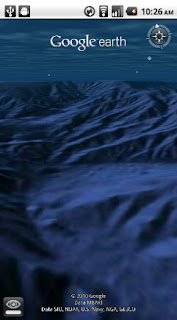
With the release of this feature, escape the hustle and bustle of life on land and discover the marine world using Google Earth on your mobile device. Now, you can check out the landscape and terrain in Monterery Bay Canyon, which is larger than the Grand Canyon, by zooming in on Google Earth below the ocean surface just off the coast. Once underwater, we can use the “look around” button to tilt the view and see the extent of this great undersea canyon.

The latest version of Google Earth for Android also introduces the “Explore the Ocean” layer, which features hundreds of photos and videos from more than 100 contributors who are excited to share their stories of sea. Plan your next vacation during your daily commute by clicking on any of the little blue icons. The gold highlighted icons represent content from the Mission Blue Hope Spot initiative.


For those of you running Android 2.2, there are some more treats in store. Google Earth now supports Flash in balloons, so if you have the Flash player installed on your mobile device, you can watch videos right in the balloon. We’ve also made the program easier to navigate; for most devices, you can now use two fingers to “look around” and change your viewpoint, as an alternate to using the on-screen button. This makes it even easier to tilt your view to see mountainous landscapes or underwater canyons. Rotating your view with a simple twist of your fingers is now available on more devices as well.

Google Earth for Android 1.1 is available in Android Market today for most Android devices running version 2.1 or later. Explore the ocean anywhere.
qrcode

Posted by Jenifer Austin Foulkes, Product Manager

Google Mobile App for iPhone gets pushy

Ever missed an appointment or important email because you were away from your desk? Now Google Mobile App can help with push notifications from your Google account to your iPhone -- an icon badge shows you’ve got new mail in Gmail, and Google Calendar event reminders appear right on your home screen.


We’ve also added spiffy features to get you information faster -- when looking for flight info, weather, stock quotes or currency conversion you’ll see answers before you even hit ‘Search’.


You can get the update from the App Store by searching for ‘Google Mobile App’.

If you have any questions or comments, or if you want to learn more, please visit our help center.

Update 8/24 5:00 PM PST:
  • You will only receive pop-up messages and sound/vibration for calendar alerts - new email is shown using the unread count on the Google Mobile App icon and in the apps tab.
  • To ensure you get alerts go to the Settings > Google Accounts panel inside Google Mobile App and switch on the notifications you'd like to receive. If you initially didn't allow Google Mobile App to receive push notifications when prompted, you can enable the feature again in the iOS Settings' application's Notifications panel.

SA Says 400 Million Connected Convergent Devices in 2014

The Connected Convergent Devices (CCDs) market will claim a global installed base of over 400 million units by 2014, according to research just released by analyst firm Strategy Analytics. The report, �Connected Convergent Devices: The New Battleground,� envisions CCDs filling the gap between smartphones and netbooks�a gap that is ripe for growth.

The firm estimates the value of the CCD market will exceed $50 billion in 2014. Some cannibalization is inevitable, according to the report, particularly among the tablets, netbooks, eBook readers and Mobile Internet devices (MIDs) categories.� All categories have the potential to be very disruptive,� said Peter King, Director of the Connected Home Device service at Strategy Analytics. �However, all have their place in the market, and as casual computing develops, new products such as the tablet can be additive to the market as well as cannibalistic�.

CE, Mobile and PC companies are vying for the consumer wallet with a variety of Connected Convergent Devices, including tablets, netbooks, smartbooks, eBook readers and MIDs. �We have recently witnessed price erosion and product withdrawals in the eBook reader market, and the netbook market growth has slowed down since the introduction of the Apple iPad,� added King. �As rival tablets hit the market by year-end, many driven by Google�s Android, we will see even more competition in this dynamic new market segment.�

This sounds reasonable as these devices have come down drastically in price. With the Kindle now at $139, I am tempted to buy one. If it was over $300 like the original devices, I might as well buy an iPad or netbook and get a device the does several functions.

Terrafugia's �Roadable Aircraft� Engineered With Virtual Prototyping From ANSYS

I thought this was a very interesting news article from ANSYS about the world�s first commercial �flying car." Photo courtesy of ANSYS.

Massachusetts-based Terrafugia used ANSYS� engineering simulation software to design and verify its new production prototype of the Transition� aircraft that also can drive on the highway, which was unveiled yesterday at the EAA AirVenture airshow. Terrafugia engineers conducted whole-vehicle airflow tests that assessed the effects of design changes on overall performance � working in parallel across the various Transition components. The simulations were used to maximize wing lift in the air and to minimize the effects of crosswinds along the road.

�The Transition�s test flights identified some important engineering issues that ANSYS fluid dynamics software helped us to address in the production prototype,� said Gregor Cadman, an engineer at Terrafugia. "Our latest design improves both the in-air and on-road performance of the Transition, as well as ensures that the vehicle lends itself to full-scale manufacturing. Simulation software from ANSYS played a central role in these engineering efforts. Without the ability to work in a virtual environment, we would have had to construct complicated physical models, modify or rebuild them, and conduct hours of real-world testing, slowing down the process and adding significantly to development costs.�

The Transition is the world�s first vehicle to combine a lightweight, aerodynamic aircraft with the stability needed for long-distance driving on the highway. The vehicle can cruise up to 490 miles at over 105 miles per hour, can drive at highway speeds on the road, and is capable of transforming from plane to car in less than 30 seconds. The sophisticated design features foldable wings that span more than 26 feet, a rear-wheel-drive system for the road and a propeller for flight. Terrafugia�s team of aeronautical engineers earned global attention when the Transition proof-of-concept vehicle completed a successful 60-second test flight in March 2009. The company expects to begin commercial production of the vehicle in 2011.

Working closely with ANSYS product specialists, the Terrafugia engineering team also studied the impact of the Transition�s propeller on air flows around the vehicle. As the project developed over time, engineers applied simulation tools to study ever-smaller and more precise design modifications, which added to their confidence that the Transition will perform well in flight testing.

�The dual challenges of driving and flying present significant challenges for aeronautical engineers,� said Greg Stuckert, aerospace industry manager at ANSYS. �Terrafugia�s use of engineering simulation to fine-tune designs throughout the development process � not just at the end for verification � contributed to an optimized historic vehicle and an efficient product launch. Their earlier successful test flights and this year�s production prototype are the proof that their efforts are paying off.�

To 100 million and beyond with Google Maps for mobile

Almost five years ago, we launched Google Maps for mobile to help you get where you needed to go from your phone instead of a paper map. Today, more than 100 million people a month are now using Google Maps for mobile to get from point A to point B, find nearby places, and more.

Over the past five years, Maps for mobile has changed quite a bit, adding more ways to help you explore the world around you. With My Location, you can quickly find where you are on the map with or without GPS. You can put your friends on the map with Latitude. Navigation even turns your phone into a free internet-connected navigation system with voice guidance and Street View imagery.


Google Maps for mobile through the years (click to see larger image).

Lately, we’ve been especially focused on helping you find the right place at the right time. With recent additions such as Place Pages, you can now pick a nearby place by browsing information such as opening hours and review snippets for the places around you. It’s easier than ever to find those places with Search by voice or the new Places icon on Android. With this latest Android version, we’re happy to see that you’re now searching for places almost three times as often, doubling how many Place Pages are seen a day.


Search result page for Java-enabled phones in 2005 (left) and Place Page for Android-powered devices in 2010 (right).


Search experience in 2005 (left) and Places for Android-powered devices in 2010 (right).


We hope this is just the start of how Google Maps for mobile will continue to evolve and let you explore the world right from your phone. We’re always inspired by how you’re using Maps, and we’d love to hear about a time when you found the nearest mechanic for a flat tire or discovered that hidden gem of a burger joint. If you have a Google story about when Maps for mobile has helped you, please tell us about it. You can also share quick stories on Twitter @googlemobile, and we’ll share our favorite ones. From all of us here on the Google Maps for mobile team, 100 million thank yous for getting your Google Maps to go!

If you’re a business owner, help millions of people find you by claiming your free Place Page available in Google Maps and our most used mobile “app” -- Google Search. Get started at places.google.com/businesses.

The Iterative Web App: New Stacked Cards Interface for Gmail on iPad.

In April 2009, we announced a new version of Gmail for mobile for iOS and Android. Among the improvements was a complete redesign of the web application's underlying code, which allows us to more rapidly develop and release new features that users have been asking for, as explained in our first post. Today’s topic for the The Iterative Web App, a series where we continue to release features for Gmail for mobile, is the Stacked Cards Interface on the iPad.

When we announced our new interface for Gmail on the iPad, we requested feedback on how we could improve this experience for tablet devices. In June, we responded with a new compose screen. Today, we’re addressing the top feedback by launching a new “stacked card” interface for selecting and managing multiple conversations.


In the past, performing actions on selected conversations was awkward. There were two similar toolbars on the screen: one on the bottom left and the other on the top right. The former affected the selected conversations, while the latter affected the currently open conversation. Since the toolbars’ buttons looked similar, it was easy to mistakenly use the wrong toolbar. Sound confusing? It was.

In the new interface, selected conversations are displayed stacked on the right panel for easy organizing, archiving or deleting. The second toolbar is gone so it’s always clear which conversations you’re working with.

This new interface has also been an opportunity for our team to experiment with CSS3 transitions, which give mobile web applications a similar look and feel to native applications. More details on the implementation are posted on the code blog.

To try the Gmail webapp on the iPad, just go to gmail.com in Safari. For quick access, create a homescreen link. Please note that the new interface is only available in US English for now.

Multi-tenancy Support, High Performance Image Serving, Increased Datastore Quotas and More Delivered In New App Engine Release

Today marks the 1.3.6 release of App Engine for Java and Python. In this release we have made available several exciting new features, relaxed quota and datastore limitations, and added various issue fixes.


Multi-tenant Apps Using the Namespaces API

We are pleased to announce support for multi-tenancy for applications via the Namespaces API. With multi-tenancy, multiple client organizations (or “tenants”) can all run the same application, segregating data using a unique namespace for each client. This allows you to easily serve the same app to multiple different customers, with each customer seeing their own unique copy of the app. No changes in your code are necessary to use this API-- just a little extra configuration. Further, the API is also designed to be very customizable, with hooks into your code that you can control, so you can set up multi-tenancy in any way you choose.


Check out our application examples for Java and Python to demonstrate how to use the Namespaces API in your application. The API works will all of the relevant App Engine APIs (Datastore, Memcache, and Task Queues). Check out our docs for Java and Python to learn more.


High-Performance Image Serving

This release also includes a new, high-performance image serving system for your applications, based on the same infrastructure we use to serve images for Picasa. This feature allows you to generate a stable, dedicated URL for serving web-suitable image thumbnails. You simply store a single copy of your original image in Blobstore, and then request a high-performance per-image URL. This special URL can serve that image resized and/or cropped automatically, and serving from this URL does not incur any CPU or dynamic serving load on your application (though bandwidth is still charged as usual). It’s easy to use, just call the Python function get_serving_url, or the Java function getServingUrl and supply a Blob key (with optional serving size and/or crop arguments), and you can now serve dozens or hundreds of thumbnails on a single page with ease. To enable high performance image serving in your deployed application, you'll need to enable billing.


Custom Error Pages

Since launch, many developers have asked to be able to serve custom error pages instead of those automatically served by App Engine. We are happy to announce today we are supporting static HTML error pages that can be served for you automatically for over quota, DoS, timeout and other generic error cases, that you previously could not control. You can configure custom error handlers in your app.yaml or appengine-web.xml file. Check out the Java or Python docs for more information.


Increased Quotas

We have also continued the trend of lifting some system limitations that have been in place since launch. The Datastore no longer enforces a 1000 entity limit on for count and offset. Queries using these will now safely execute until they return or your application reaches the request timeout limit. Also, based on your feedback, we have raised nearly all of the burst quotas for free apps to the same level as the burst quotas for billed apps. Check out the docs for more information on quota limits.


Other features included in 1.3.6:
  • Java developers can now use the same app.yaml configuration file that App Engine uses for Python applications instead of appengine-web.xml (if preferred).
  • You can now pause task queues via the Admin Console interface.
  • Dashboard graphs in the Admin Console will now begin showing up to 30 days worth of data.
  • Content-Range headers are now supported with the Blobstore API.
You can read all about these features in the App Engine documentation for Java and Python. The new versions of the SDK can be found on our downloads page.

In addition to all of the new features, we’ve included several bug fixes which you can read all about in the release notes for Java and Python.


-- Posted by the App Engine team

WebFilings streamlines SEC reporting using Google App Engine


Greetings App Engine Developers!


My name is Dan Murray. I'm a Founder and Managing Director at WebFilings http://www.webfilings.com. In March 2010 my company launched a first-of-its-kind SaaS solution that dramatically improves the process of developing and filing financial reports with the Securities Exchange Commission (SEC). Google App Engine provides the foundation for our backend. Since our launch, my company is experiencing what can only be described as hyper-growth. Everyday, as our team manages the rapid growth of our user community, I am thankful we chose App Engine when we started WebFilings.


Our Challenge


Each quarter, thousands of public and private companies in the US report their earnings to the SEC. The SEC reporting process is complex, time-consuming, and expensive. Reporting requirements and accounting codes are in a state of constant flux. The effects of misreported finances can be extremely costly to a company both financially and in reputation.


Prior to starting WebFilings, my partners and I spoke with dozens of companies and listened to them describe their approach to SEC reporting. While each company has its own unique challenges and methods, the general theme was the same: today's word processors and email just don't cut it for financial reporting. SEC reporting requires more sophisticated collaboration and data management capabilities than current tools provide.


We formed WebFilings almost immediately after these meetings and started building our product. We knew our software would manage a large amount of very granular data for which history and revision control are important. Individual data entities would be interrelated and a change to one may require a cascade change to hundreds, thousands, or more entities. Our product needed rich collaboration capabilities to allow multiple authors to work on a single report simultaneously and communicate effectively throughout the reporting process. Finally, because our software would manage sensitive, pre-release financial information, our product had to be state-of-the-art when it came to information security.


Why Google App Engine?


We started working with Google App Engine right after it launched in 2008. Since we started, our development team has grown from a few guys in a basement to an extensive worldwide organization. From the beginning, the choice of using GAE for our backend was obvious. App Engine provides many benefits to a business building a large-scale, data intensive product on a short timeline.


App Engine gives us a flexible, object-oriented datastore that enables us to iterate in a way that is just not possible with traditional database and ORM software. When combined with the ease of deployment to the cloud, we are able to develop at a rapid pace and deliver timely, incremental solutions for our customers' emerging needs.


In addition, App Engine appspot gives us a secure place for our customers' data. It's been clear from the beginning that the App Engine Team works very hard to plug each and every possible security hole. Large organizations all over the world are switching to Google Apps. Real peace-of-mind comes with Google's reputation for data security. I can think of no other company in the world that takes security more seriously and actually walks-the-walk.


Finally, our costs with Google App Engine have been unbelievably low. In past ventures, I got used to huge startup costs and large expenditures each month for hardware infrastructure and support staff. That just isn't the case with App Engine. We don't need a large IT staff to support our product because App Engine scales automatically. Our costs have been and continue to be orders of magnitude lower than anything I've ever experienced.


How we built our implementation


I had always heard that building a word processor is one of the hardest things you can ever do as a software engineer. Well now I know for a fact that it is. In addition to building a word processor, we set out to create a spreadsheet editor as well. Both applications run in a web browser and are interoperable in a way that enables you to "link" very granular data between them. Add in the ability to share documents and track revisions among a large team of collaborating editors, and building WebFilings software has easily been one of the most challenging endeavors during my 20+ years in software.


Using WebFilings rich editor to file financial reports


Google App Engine has been absolutely key to our success in ramping up development quickly and building our product in a very short timeframe. We built our product using App Engine's python runtime environment. The combination of python and App Engine's datastore enabled us to take an iterative and incremental approach to building our backend.


WebFilings software is based upon a multi-tier, service-oriented cloud mashup as shown below.


WebFilings' architecture


Our presentation tier consists of three end-user applications. Our editor and reader applications are implemented using the Adobe Flex SDK and delivered to the users desktop using Adobe Flash Player 10. Our administration application is AJAX-based and implemented with HTML, CSS, Javascript, and JQuery.


Our editor and reader applications combine a traditional word processor with a spreadsheet editor. Each contains logic that controls the content, layout, and display of formatted text. The foundation of these applications is Adobe’s Text Layout Framework, an extensible, open source, ActionScript library that leverages the text engine in Adobe Flash Player 10.


Our administrative application contains logic that controls CRUD operations for accounts and users. Through our administration application one administers usernames, passwords and password policy, user account access, subscription levels, and various account and document permissions.


Our business tier is developed using Google App Engine. Web services are implemented using python and the django web application framework. Our Flex/Flash-based editor and reader communicate with the business tier by exchanging serialized binary representations of WebFilings business objects through a Django-based web services API. The AJAX-based administration application communicates with the business tier using JQuery. Service requests and responses are sent via HTTPS.


The business tier implements logic in two sub-tiers. The first of these sub-tiers is responsible for basic business logic that provides methods for foundation and often repeated operations such as creation of a new document. The second of these sub-tiers is responsible for business processes that chain together basic business services to accomplish larger, more complex operations such as sharing a users’ changes to a document.


Business service and process methods access data through the App Engine Data Services API. This API provides a python-based abstraction layer consisting of convenience methods that unify the data tier API with security sandbox methods designed to prevent unauthorized data access across Google appspot instances.


WebFilings end-user application interoperates with read-only search services and transient translation services hosted using Amazon EC2. These web services include an XBRL taxonomy search service, and XBRL validation service, an XBRL instance document viewer, and an EDGAR HTML translation service.


The XBRL taxonomy search service, and XBRL validation service, and EDGAR HTML translation service use Apache Tomcat and the Java Servlet API. In addition, the XBRL taxonomy search service uses MySQL and the Hibernate ORM SDK for storage, access, and indexing of the SEC’s public taxonomy data.


The XBRL instance document viewer is a Microsoft .NET Framework-hosted implementation of the U.S. Security Exchange Commission (SEC) XBRL reference viewer.


We've been fortunate that the App Engine Team continues to churn out innovations at a rapid pace. AppStats has helped us identify problem areas and fine tune performance. Task Queues have given us a good solution for processing large amounts of data and helped us reduce request latency. Memcache has provided us up to 10x performance increase for critical areas of our application. We've been able to absorb these innovations quickly without having to re-architect.


Future Apps on App Engine
As WebFilings grows, we will continue to expand our product and the web services that support it. When we find opportunities to build new applications there is no doubt that Google App Engine will be at the core.


Please visit http://www.webfilings.com to learn more about WebFilings software. Our team is growing very fast and we're always looking for top software talent. Check out our Careers page If you want a new and exciting challenge with one of the best software teams around.


Just speak it: introducing Voice Actions for Android

(cross-posted with the Official Google Blog)

Our mobile phones have become modern-day Swiss Army knives. An Android phone is a handheld computer, a music player, a notepad, a GPS navigation unit and more, all rolled into one sleek device that fits in your pocket. Today’s phones do so many things for us that sometimes we don’t even think about how we do them.

Even though our phones do all these new things, the most natural way of interacting with a phone remains what it always has been: speaking. And to that end, we’re pleased to introduce Voice Actions for Android. Voice Actions are a series of spoken commands that let you control your phone using your voice. Call businesses and contacts, send texts and email, listen to music, browse the web, and complete common tasks, all just by speaking into your phone.

To use Voice Actions, tap the microphone button on the Google search box on your home screen, or press down for a few seconds on the physical search button on your phone to activate the “Speak Now” screen. Let Mike LeBeau, the lead engineer for Voice Actions, show you in this video.


Speak any of these commands to perform a Voice Action on your phone:
  • send text to [contact] [message]
  • listen to [artist/song/album]
  • call [business]
  • call [contact]
  • send email to [contact] [message]
  • go to [website]
  • note to self [note]
  • navigate to [location/business name]
  • directions to [location/business name]
  • map of [location]
And of course, you can still conduct a Google search using your voice.


While we’re at it, we’re also releasing an updated version of the Google search widget for Android. When you type a local search query, like [italian restaurants] you’ll see suggested restaurants with addresses and ratings. Also, as you type queries, you can refine them further by tapping the pencil icon that appears to the right of search suggestions.

Both Voice Actions and the new Google search widget require Android 2.2 (Froyo), and will be pre-installed with the new Droid 2 phone from Motorola and Verizon. Voice Actions are currently available for U.S. English speakers.

If you have another phone with Android 2.2 (like the Nexus One, HTC Evo or the original Droid), you’ll need to download several app updates from Android Market to get all the latest goodness:
  • Voice Search (this app includes Voice Actions)
  • Google Search widget
  • music apps (e.g. Pandora, Last.fm, Rdio, mSpot)
To get started fast, scan the QR codes for these apps below.

We think Voice Actions help you get things done on your phone faster and easier. Give it a try, and let us know what you think!

Voice SearchSearch widget

Instantly zap links, maps and phone numbers to your Android phone with Chrome to Phone!

(Cross-posted from the Google Chrome blog.)

Ever wanted a way to quickly and easily send links and other information from your desktop or laptop to your phone to view on the go? The new Chrome to Phone extension adds a button to your Google Chrome browser that instantly sends the current web page, map, YouTube video, or selected phone number or text to your Android device running Froyo (or Android 2.2).

Suppose you're reading an interesting article on your favorite news website and need to leave for an urgent appointment. Simply click the extension icon in your browser to send the link to your phone and the device's browser will automatically open the link, ready for you to view on the go. Chrome to Phone also works seamlessly with Google Maps. Say you’ve looked up an address or driving directions on your desktop. Clicking the extension icon in your browser will push the information to the Google Maps app on your phone. YouTube videos work the same way with the extension. You can also select a phone number on a web page and send it to the dialer on your phone. Selected text can also be automatically copied from your browser and sent to your Android clipboard for later viewing.


The Chrome to Phone extension is available in English for now, but we hope to expand to other languages soon. Check out the help center if you have further questions. To get Chrome to Phone, install the extension in your Google Chrome browser and the Android application on your phone from Android Market, and you’re ready to go.

Posted by Dave Burke, Engineering Manager

Cellular M2M Market Forecast

ABI Research reports the Cellular Machine-to-Machine (M2M) communication market has been a challenging place for cellular embedded module vendors over the past 18 months. 2007 was this market�s last �good year�: 2008 saw both shipment volumes and revenue decrease. In 2009, the cellular M2M module market grew somewhat in terms of unit shipment volume, although rapidly declining module prices meant that 2009 revenue was still below that of 2007.

Despite its difficulties, however, this market is on an upward path. Unit shipment volume growth and the growing importance of 3G are already resulting in stronger performance and a new ABI Research study estimates that the market will be worth $3.8 billion in 2015.


Flipping for Gesture Search

You may already be familiar with Gesture Search, our Android app from Google Labs that lets you search by writing out characters on the touchscreen of your device. Today we’re happy to announce a new version, Gesture Search 1.2, which includes a new motion gesture. By doing a “double flip”, or flipping your phone away and then back, you can start Gesture Search at any time. This eliminates the need to activate Gesture Search from a home screen shortcut. You can turn the feature on or adjust its sensitivity in Settings. We’ve also fixed some bugs and improved usability by adding accessibility support. Gesture Search is still in its early stages (as with all things in Google Labs) but we’d love to hear your feedback in the comments below. It is available for Android-powered devices running Android 1.6 and above, and can be downloaded in Android Market.


Update 8/11/10: If you're on an Android-powered device, click here to download Gesture Search. If you're on a computer, go here.

Update 8/19/10: An updated version of Gesture Search has been posted to Android Market, which contains some bug fixes. You can learn more about the double flip update here.

Posted by Yang Li, Research Scientist, Gesture Search team

Practical Report Generation on App Engine

We recently announced the Mapper API, a first step in a broader effort to provide full MapReduce capabilities on App Engine. While we still have some work ahead of us, there’s already a lot that can be done with today’s Mapper API. One area of particular interest is report generation.


Most applications create and maintain large numbers of detail records: entities in data models, transaction history or event logs. In order to glean useful information out of these vast data sets, your application has to iterate over your entities, summarize and breakdown the results. That’s where the Mapper API comes in.


The Mapper API uses the Task Queue to enable your application to rapidly iterate over its data sets, whether small or very, very large. The API takes care of the tedious bookkeeping involved in efficiently scheduling and keeping track of all those tasks. The Task Queue, in turn, automatically ‘pushes’ the work to your app.


Christopher O’Donnell (@markitecht), a technology product designer and developer from Cambridge, Massachusetts, was kind enough to share with us some of the motivations and implementation details behind his own project. In a new guest article, Modern Funnel Analytics Using Mapper, Christopher makes extensive use of the Mapper API to illustrate the process of generating rollup reports. With his approach, he's able to provide both summarized results and drill down capabilities.


If you like Christopher’s article, you should also checkout out the many other interesting articles on the Google App Engine home page. And, if you have an interesting App Engine article or story you'd like to share, let us know. We'd love to hear about it.


Posted by , App Engine Team

Qi Wireless Power Charging Standard Released

The Qi low power standard, was finalized at the end of last month by the Wireless Power Consortium. The standard calls for delivering up to 5 Watts into wireless power receivers. The goal is for the standard to be interoperable between chargers and gadgets from different makers. This would be a big step forward if they are able to accomplish this as many wireless applications are slow to the market or fail without standardization.

The Qi low power specifications consist of 3 documents:
  • Part 1, Interface Definition. This document defines the interface for contactless power transfer between a power transmitter and a power receiver, based on near field magnetic induction between coils.
  • Part 2, Performance Requirements. This document defines performance requirements for power transmitters and power receivers.
  • Part 3, Compliance Testing. This document defines the compliance test procedure for power transmitters and power receivers.

Part 1 is currently available for members only, but will be made publicly available as download from this website on August 30, 2010. Part 2 and 3 will stay exclusive for members of the Wireless Power Consortium only.

The power is transfer ed via magnetic induction so the distance between the device and charger is only up to a few mm. Most of these are charging pads or areas where the device it set on top of or very near the charger but it certainly makes charging a whole lot easier and more convenient especially if multiple devices can be set in the charging area at one time.

Rapid cloud development using App Engine for the Cycle Hire Widget Android application

Update Oct 2010: It's been several months since we introduced you to Little Fluffy Toys and their exciting Google App Engine story. Since then, their app has continued getting rave reviews. We're happy to let you know that there is a great follow-up to this story from the Android and UI/UE/UX perspective, and you can find it here: http://blog.radioactiveyak.com/2010/10/android-app-surgery-cycle-hire-widget.html


This post is another entry in our ongoing series of guest posts contributed by App Engine developers. Today we partner with Little Fluffy Toys Ltd to tell the story of how they were able to learn App Engine (plus Python) and launched their service paired with their Android application in less than a week!


Introduction

Last week, Little Fluffy Toys Ltd (LFT) launched an Android app to help its users find bicycles and rental locations in London. While this story doesn't sound particularly phenomenal, how they accomplished this using Google App Engine (and Android) makes their application and its launch one of the most exciting success stories so far in 2010.


The development team at LFT were able to quickly come up-to-speed on learning a new programming language and development environment in order to build and launch the App Engine backend service for their Android mobile app to the world in less than one week. The executive summary:


  • Attended 1-hour Thursday night presentation on Google App Engine (Jul 22)
  • Started to learn Python and App Engine on Saturday afternoon
  • Launched live service Wednesday, announcing their Android app with an App Engine backend (Jul 28)


Before we get to the good stuff, a brief backgrounder on the project which spawned the application: metropolitan bicycle-sharing systems, specifically London's. Based on the success and popularity of the Paris Vélib' system, the Barclays Cycle Hire scheme originated mid-November back in 2008 from its mayor, a strong cycling proponent.


The system launched on July 30, 2010; however a month before the project reached its completion, a call for apps was given by the mayor seeking independent developers so that there would be a variety of mobile and web apps available by show time. Enter Little Fluffy Toys Ltd which ended up creating the Cycle Hire Widget app for Android. They needed a backend system to manage the data, found App Engine, and the rest was history. Shortly after going live with their app and the launch of London's bicycle rental system, I had a chance to discuss how their project came together with the help of App Engine.


NOTE: Cycle Hire Widget is only available in the Android Market if you are located within the UK. If you wish to view the application from outside the UK, please download and install it from within your Android browser via this link — bear in mind that the distances to your nearest rental/hire location will be ridiculous!


App Engine and LFT

As we mentioned above, the sole purpose of their App Engine app is to receive data from and provide data to the Android app running on users' mobile phones. The App Engine stored data is "global" for all mobile clients out there, and this includes names, locations, and dynamic specifics related to each bike station such as the data found in the app's screenshot below. Take note all the valuable data that is provided in real-time by App Engine:


If you're a bit familiar with App Engine, you would no doubt have heard about it as a platform for web applications, but this is a use case highlighting App Engine for a non web-based server-side application where no part of the app is user-facing save for what gets sent back to the mobile app. While this type of app doesn’t get much press, it’s more common than people think.


I met Kenton Price, the director and chief architect of Little Fluffy Toys Ltd, at a developer event recently, and he seemed to think that App Engine would be the right tool for the Cycle Hire Widget. It turned out to be true(!), and when I asked about LFT's needs and how they were met by App Engine after their successful product launch, here is what he had to say:


"As you know, we were massively against the clock with the launch of the cycle hire scheme, and we needed something we could get going with fast that would effortlessly scale to perhaps tens of thousands of mobile users. App Engine seemed the perfect choice from what we had read of it before the meeting, and after your presentation it was obviously the way to go. Your recommendation to use Python was scary given neither of us knew a thing about it, but then again we only knew Java from Android not from web development so we didn't have the domain knowledge of building Java web services. So we went with Python, and it worked out really well. I'm astounded how we actually delivered this product in a very short space of time when we both have full schedules working on projects for our clients and other demanding outside interests. Particularly satisfying was having a solution that was agile and flexible enough to enable us to display live cycle availability data within hours of it becoming unexpectedly available at the launch, so we were live in the field with real-time data that very same launch morning, a feature our competitors are still struggling to replicate."


Development experience


Reuben Harris, LFT's chief technical officer, is the lead App Engine developer for the Cycle Hire Widget. He had a great experience even though he was new to Python as well as App Engine. What excited him the most, and what was his development experience like? He tells his story here:


"The single coolest thing about this project is that it was possible to go from a state of knowing nothing whatsoever about App Engine or Python (other than the mile-high view) to having a working and useful application inside of eight hours. We're long-time geeks but we're not geniuses. For us to pick up a new language, a new SDK, a new environment, a new way of doing things, and produce anything of value at all in such a short time speaks volumes about the value, potential, and quality of App Engine and Python.


After installing the App Engine SDK, yes, the very first thing I did was your online tutorial. I did "Hello World" to find my feet then continued into webapp, since a clean URL handler with easy ways to get at HTTP variables seemed essential. Then I immediately jumped into learning about data storage. And wow, what an enlightenment that turned out to be! Goodbye SQL, don't think I'm going to miss ya.... :-)


Since the app's purpose is to manage just ~400 simple objects representing Cycle Hire Stations, each of which contains only Plain Old Data types — no object references or anything possibly messy — I felt I knew enough to implement it now, and so I dived in. And it was so easy! I started with a handler to rebuild the datastore from scratch. Then I wrote a "get" type of handler to retrieve information about groups of hire stations (returning the data in JSON). Finally I wrote an "update" handler so that updated information about cycle hire stations could be posted, and that was it. Job done.

One thing that initially confounded me was an HTTP 500 error caused by our "reset" handler exceeding the 30-second request limit. For a while I was ready to despair; HTTP 500s to anyone with much ASP experience usually means a hideous low-level bug somewhere! However, once we discovered the problem, this was easy to fix by splitting the work into multiple requests (/reset1, /reset2, etc.) It's an admin function that only we'd ever be using, so no harm done and no need to work out anything more clever.


I know we've barely scratched the surface of what can be done with App Engine. We've yet to use Memcache, background tasks, batched updates, or anything beyond simple cloud-based data storage. But that simple thing alone seemed then, and still seems, not far short of miraculous. To not have to worry about databases, servers, uptime, upgrades and above all scaling... to not have to think about any of that at all is such an immense freedom. I'm completely hooked on it and am unlikely to go back to my traditional server tools of MySQL and PHP.


To see Reuben's work in action, check out this video demonstrating how to use the Cycle Hire Widget app while roaming the streets of London seeking a bike to rent/hire or park:


Conclusion


Since the launch, the Cycle Hire Widget has gotten rave reviews from CNET, The Guardian, and The Londonist. It has even been featured by the Press Association of the UK and Ireland! One user commented on Android Market: "Can't really think of a way to make it better," a sentiment reflected in its very high feedback rating. It certainly does sound like quite a success. What does the future look like? I asked Kenton about how LFT came about as well as how they're looking to improve their succeeding offerings, and here's what he had to say:


"We formed Little Fluffy Toys Ltd as a vehicle for Android development where we do consultancy work as well as our own stuff like the Cycle Hire Widget and Social Wallpaper. Whilst all custom development enquiries are very welcome, we're also interested in hearing from people or organisations that would like us to customise Cycle Hire Widget for their particular domain, whether it's cycles with availability in another city, coffee shops with opening hours in a geographic region, or dieting group meetings at pertinent times nearby. You name it, there are a gazillion applications for it!"


Well here on the App Engine team, we're happy for Kenton and his team on being able to implement the server-side solution they needed in such a short period of time on App Engine, and better yet, to help out a worthy cause. Google itself is a socially responsible company that applauds efforts like Barclays Cycle Hire, so we're proud that technologies we provide such as Android and App Engine can be used to help make London and the Earth more sustainable!


Posted by Kenton Price & Reuben Harris, Little Fluffy Toys Ltd, and Wesley Chun, App Engine team

Introducing the new Search History link on Google

Have you ever tried to remember how to get back to a website that you found from a recent search? Today in the US, we’re launching a new search history feature which helps you quickly get back to sites you've been to and see items you have starred from your Android, iPhone, or desktop searches. Just sign in and then tap the history link at the bottom of the Google homepage.
If you’ve enabled search history in your account (tap “Settings” and select “Save Searches” under “Search History”, then tap “Save”), the history that you see is a combination of all your searches done while you are signed-in, whether you are searching from a laptop at home, your desktop computer at work, or your phone while on-the-go. Your mobile searches are marked with a little phone icon so you can tell them apart. For websites you’ve visited while searching on a desktop or laptop, you’ll see screenshot thumbnails that can help you recognize and return to the right sites quickly.
If you want to remove any history items, you can tap the "Edit" button at the top of the page and delete individual search queries. If you prefer to stop recording search history all together, choose the “Do not save searches” option under "Settings" on the home screen and tap “Save.”

At the top of the History page, you can also select your “Starred items,” which shows a list of search results you’ve starred on your computer or phone. Let’s say after researching places to snorkel in Hawaii, you found a website full of photos about Kealakekua Bay that you want to return to later. To star the Kealakekua Bay website, simply click on the star next to the Kealakekua Bay website on Google search results. Thereafter, whenever you want to return to the site, simply click on the “Starred items” option in history. This way, while you’re out with friends, you can easily get back to the website and show pictures of this magical cove right from your phone.
We hope you find the new History link useful!